
Launch a Shiny dashboard for reviewing and harmonizing multiple codebooks before deterministic merging with MergeCodebooks().
Usage
CodebookMergeApp(
  codebooks,
  VariableCol = "Variable",
  auto_type_mapping = TRUE,
  ignore_columns = NULL
)Dashboard walkthrough
Because this function launches an interactive Shiny dashboard, the reference
page uses static screenshots. Regenerate them with
data-raw/CodebookMergeApp-screenshot.R, which drives the app with
shinytest2 and writes to man/figures/.
1. Overview
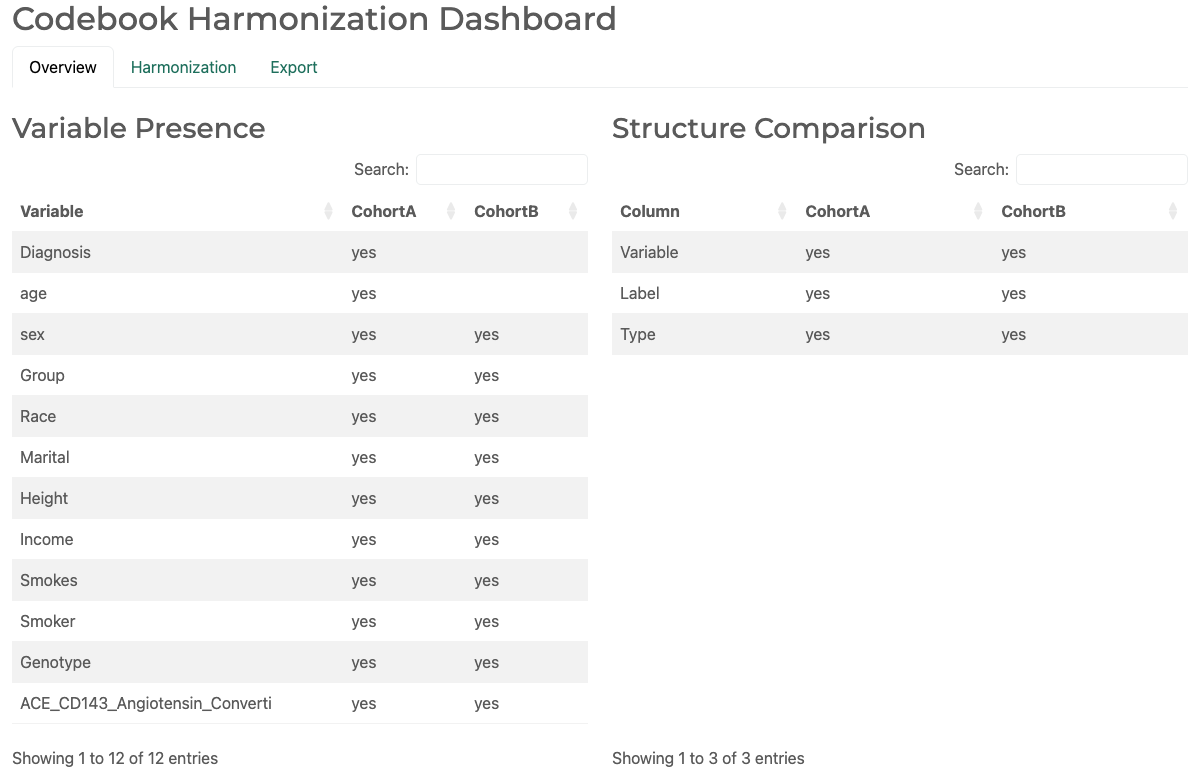
Start on the Overview tab. Variable Presence shows whether each variable is available in every source codebook; Structure Comparison shows the columns supplied by each source. Use these tables to distinguish expected cohort-specific variables from schema differences that need review.
2. Harmonization
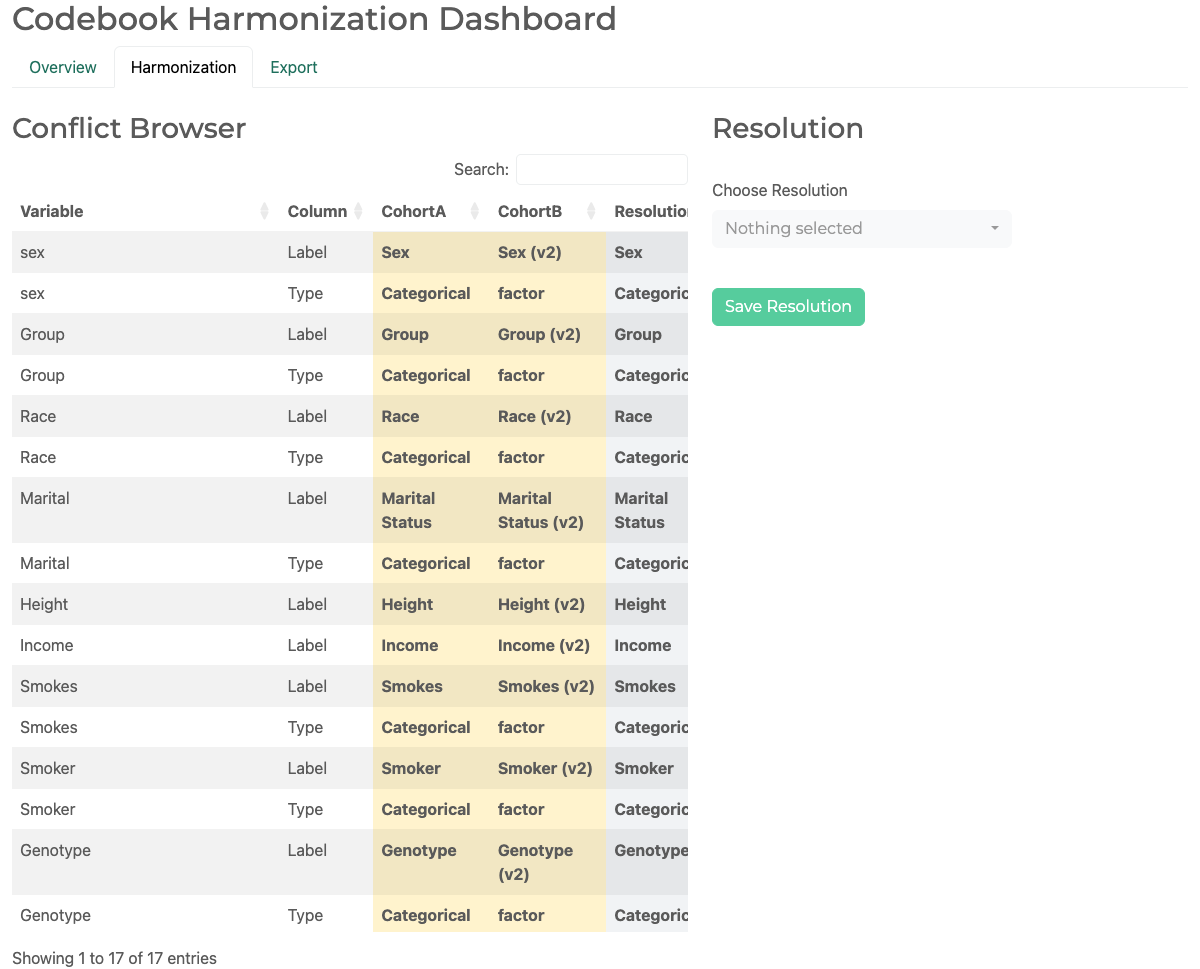
The Harmonization tab lists each conflicting variable-column pair and its source values. Select a conflict, choose one observed value or enter a custom value, then select Save Resolution. Saved choices appear below the resolution controls and are used when rules are generated; they do not alter the source codebooks.
3. Export and merge
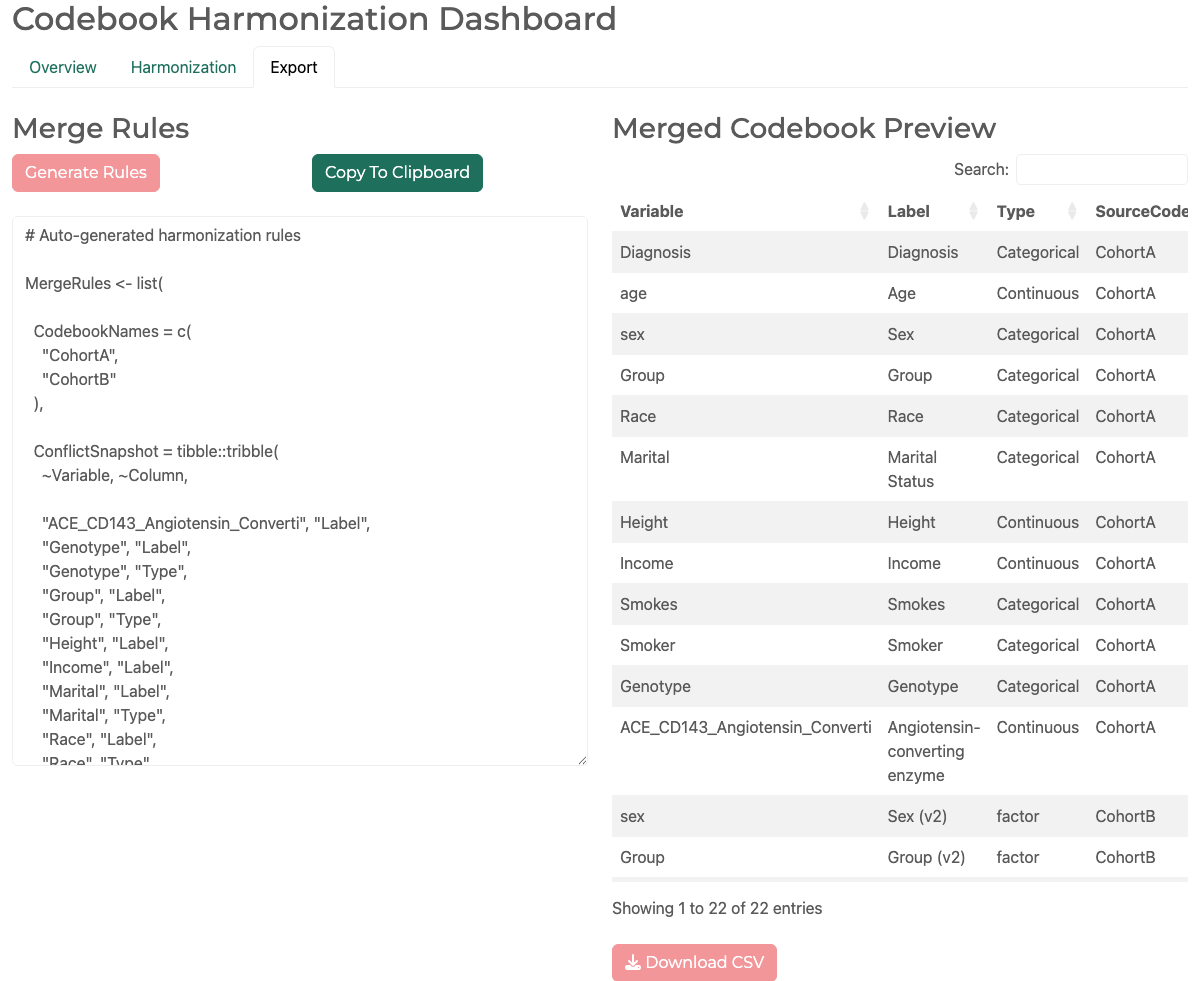
On Export, select Generate Rules to create reproducible MergeRules code and
inspect the merged-codebook preview. Copy the rules or download the preview,
then pass the generated object to MergeCodebooks() through its Rules
argument to repeat the reviewed merge deterministically.
Examples
if (FALSE) { # \dontrun{
data(SampleVariableTypes)

# Two overlapping codebooks to harmonize before a deterministic merge
cb_a <- SampleVariableTypes[1:12, c("Variable", "Label", "Type")]
cb_b <- cb_a[-(1:2), ]
cb_b$Type[cb_b$Type == "Double"] <- "numeric"

# Launch the interactive harmonization dashboard
CodebookMergeApp(
  codebooks = list(CohortA = cb_a, CohortB = cb_b),
  VariableCol = "Variable"
)
} # }