
Explore dataset comparison results interactively
Source:R/ExploreDatasetComparison.R
ExploreDatasetComparison.RdCreate an interactive HTML dashboard from a CompareDatasets() result object.
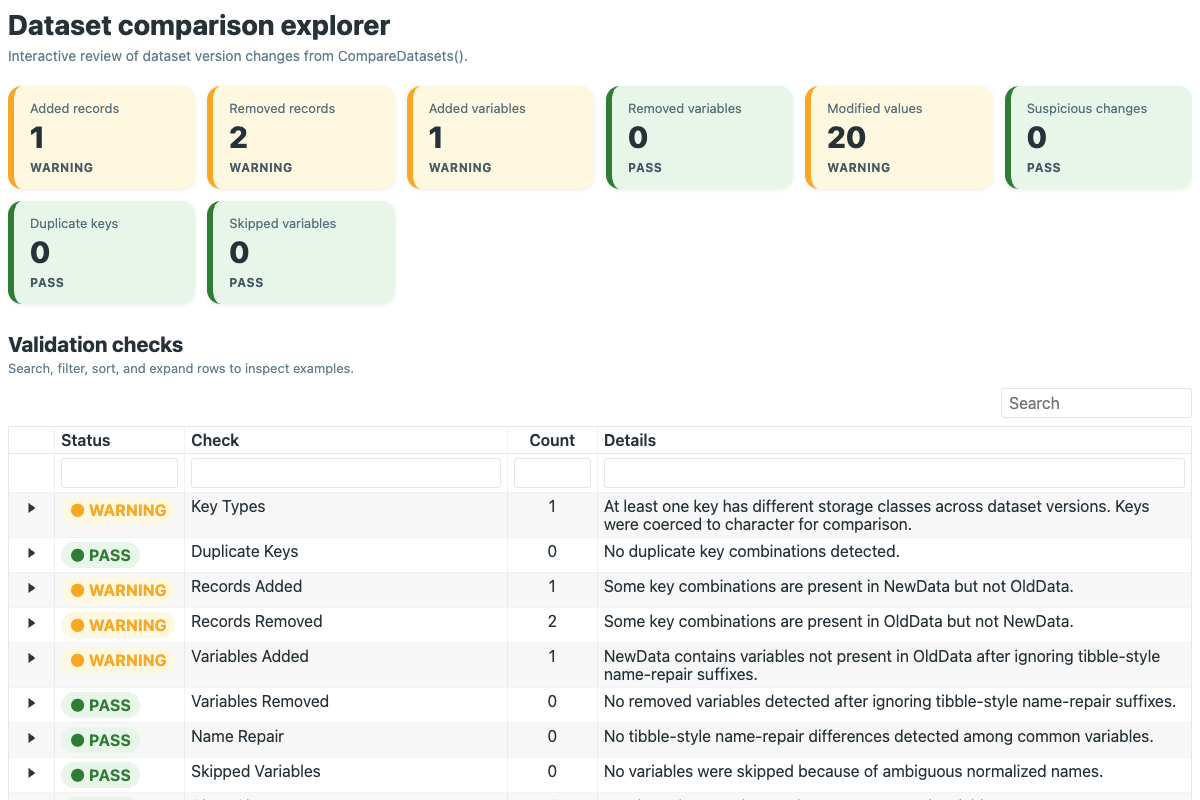
This function is designed for data review and quality-control workflows. It
displays high-level summary cards, a traffic-light checks table, and an
expandable variable-change explorer that shows side-by-side old and new
values for modified cells.
Arguments
- CompareObj
A list returned by
CompareDatasets().- Title
Character title shown at the top of the dashboard. Default is
"Dataset comparison explorer".- TopN
Integer number of example variables or records to show in previews and expanded sections. Default is
10.
Value
An htmltools::tagList() object containing an interactive dashboard.
Details
This function is intended for interactive review rather than publication tables. It returns an HTML object that can be rendered in the RStudio Viewer, Quarto, R Markdown, Shiny, or standalone HTML. The reference page uses a static preview because pkgdown cannot host the live dashboard.
Examples
data(SampleData)

old_data <- cbind(id = seq_len(nrow(SampleData)), SampleData)
new_data <- old_data[-c(1, 2), ]
new_data$MMP7[1:12] <- new_data$MMP7[1:12] * 1.15
new_data$tau[20:35] <- new_data$tau[20:35] + 5
new_data$QualityReview <- ifelse(seq_len(nrow(new_data)) %% 3 == 0, "Review", "Pass")
new_data$Smoker <- NULL
new_data <- rbind(
  new_data,
  transform(new_data[1, ], id = max(old_data$id) + 1, QualityReview = "New record")
)

comparison <- CompareDatasets(old_data, new_data, keys = "id")

# Render the dashboard in an HTML report, Shiny app, Viewer, or HTML file
dashboard <- ExploreDatasetComparison(comparison, TopN = 8)